idea.log: An iPhone App for Capturing Ideas on the Go
I ride bikes a lot. And when I’m out on a ride, sometimes ideas pop into my head. Most are terrible but it’s probably 2 an hour on average. A feature for a side project, a blog post topic, a solution to a problem I’ve been stuck on. The problem is that by the time I get home, half of them have evaporated. The ones I do remember, I often never follow up on.
For a while I tried stopping to jot things down in Notes, but that breaks the flow of a ride. Voice memos helped, but then I had this graveyard of audio files I never listened to.
So I built idea.log.
The Philosophy
One thing I’ve leaned into in this era of coding agents is embracing what I’ll call the productive ADHD of AI-assisted development. When code is faster to write, distractions become cheaper. I can afford to try more things, explore more tangents, build more throwaway prototypes. But that only works if I’m actually capturing and acting on the ideas.
idea.log is my attempt to be more intentional about this. No project management, no replacing Notion or Linear or whatever you use for actual work (like ContextSwitch). It’s just an idea log. Capture the idea, maybe add a tag, write down what the first step would be, and move on.
How It Works
The app has three tabs: capture, ideas, and stats.
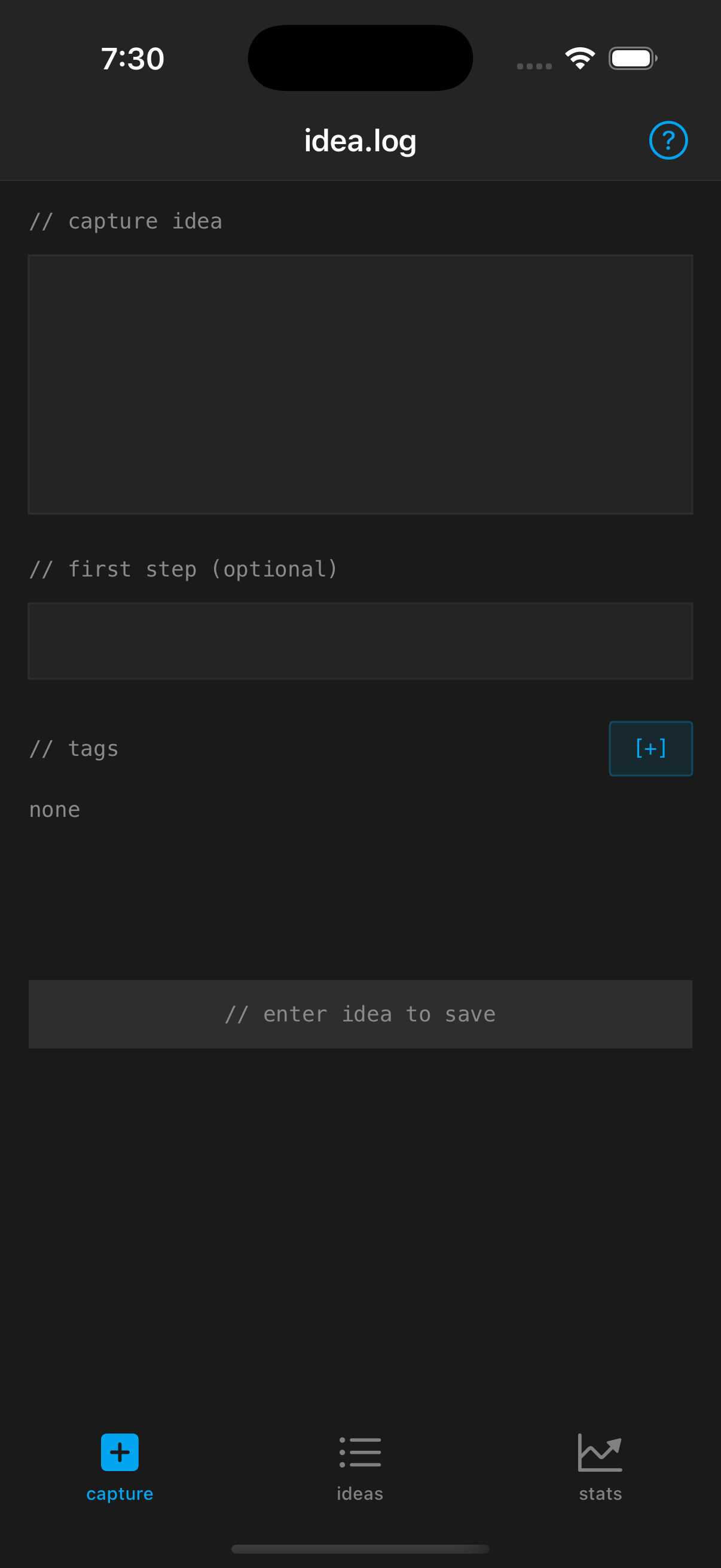 The capture screen: just the idea, an optional first step, and tags.
Capture is deliberately minimal. A text field for the idea, an optional field for the first step, and tags. That’s it. No categories, no priorities, no due dates. Just get the idea down.
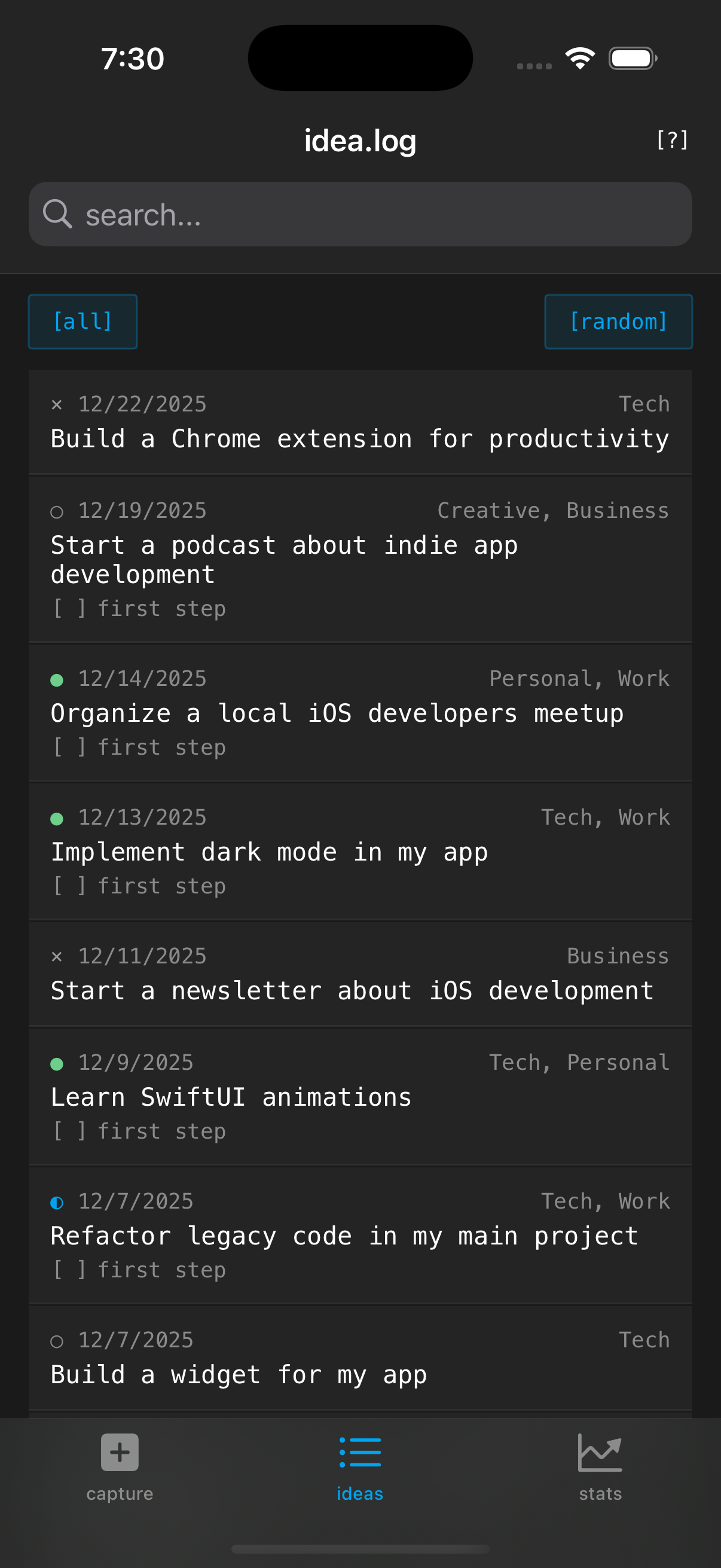 The ideas list with filtering and a random button to surface forgotten ideas.
Ideas shows everything you’ve logged. You can filter by status (pending, did first step, did it, abandoned) or just hit the random button to surface something you forgot about. The random button is surprisingly useful when you have 20 minutes to hack on something but no idea what.
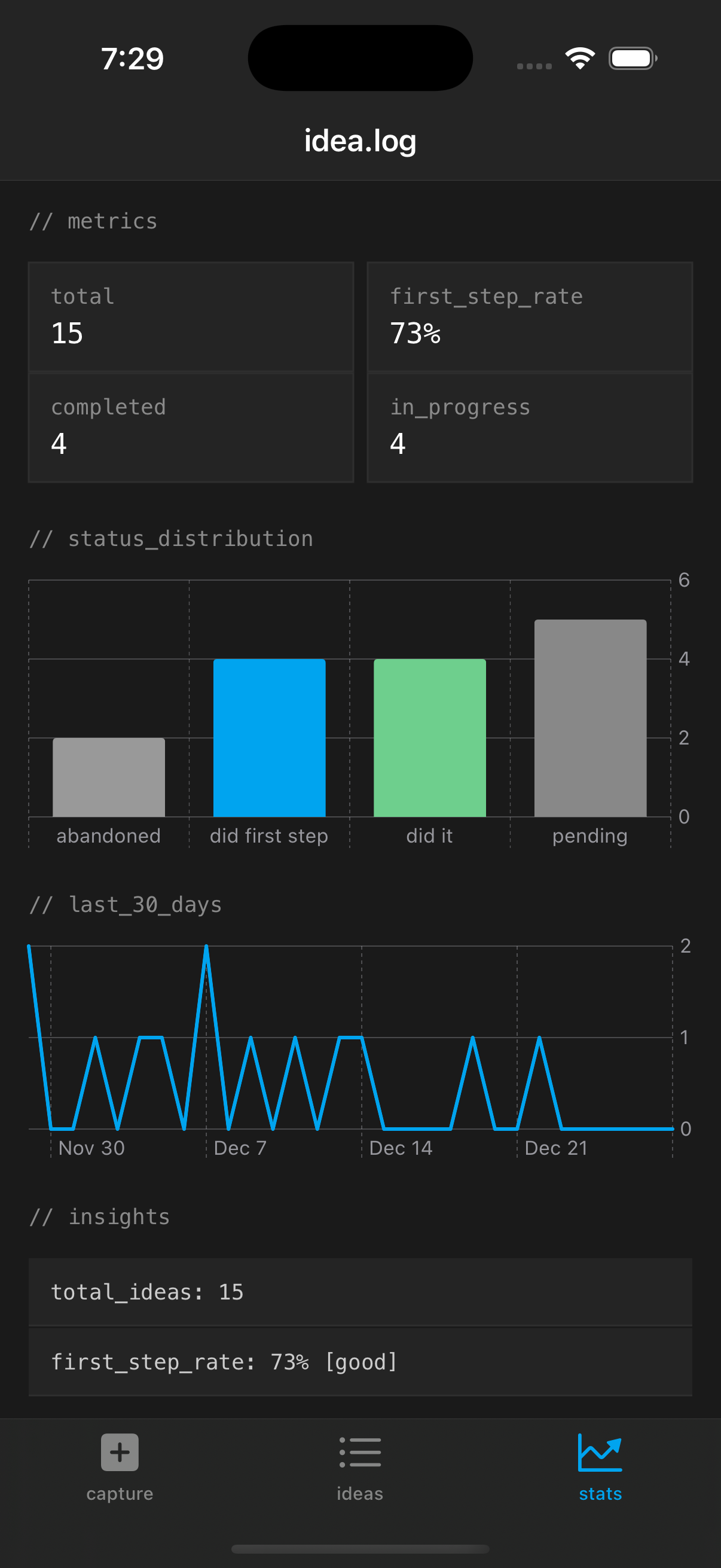 Stats tracking idea capture rate, first step completion, and trends over time.
Stats tracks patterns over time. How many ideas am I logging? What percentage have first steps defined? How many am I actually completing? The data isn’t the point, but it does help me notice when I’ve stopped capturing or stopped following through.
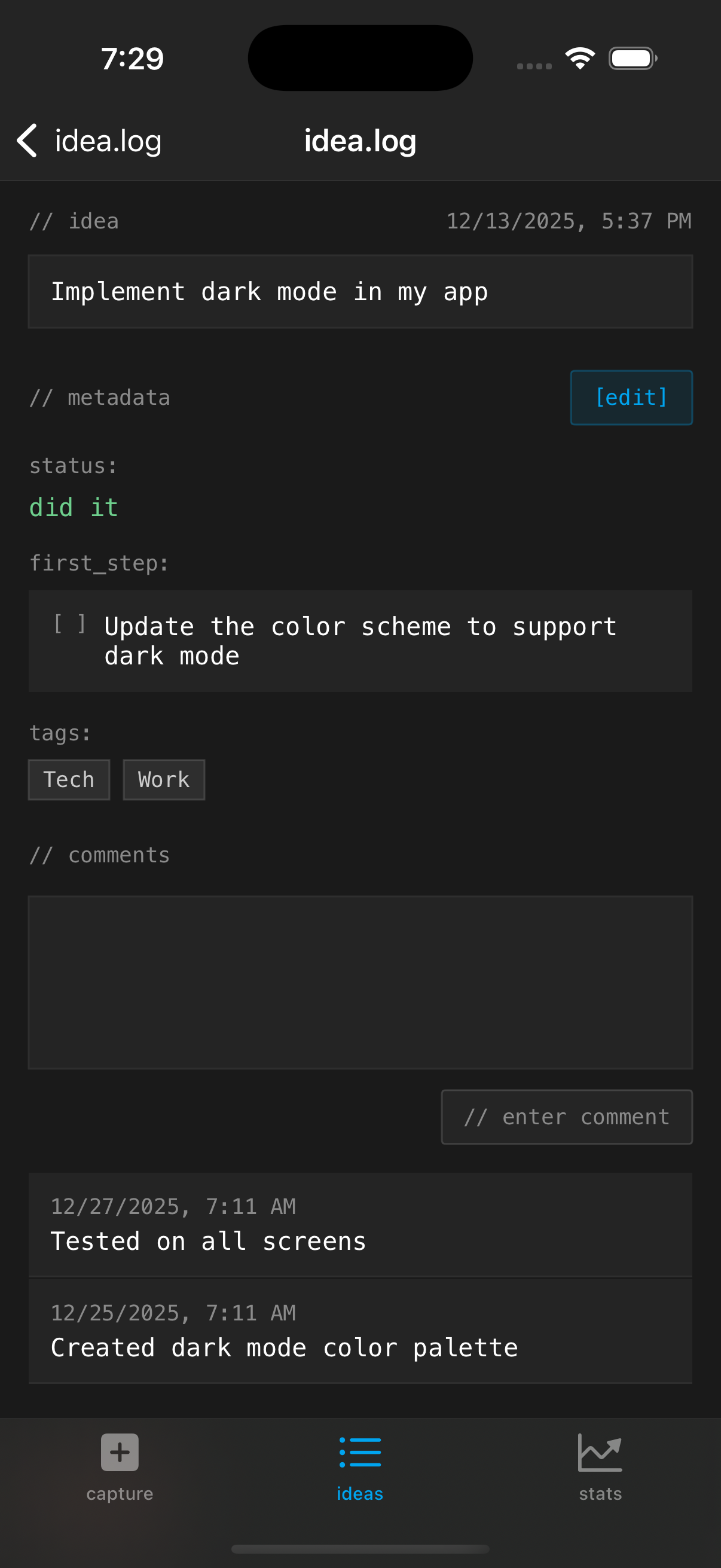 The detail view with comments and first step tracking.
Each idea can have comments added over time as it evolves, and you can mark the first step complete without changing the overall status.
The Siri Integration
The killer feature for me is Siri. I can be mid-ride, hands on the bars, and just say “Hey Siri, capture an idea with idea.log” and then speak the idea. It just works. The idea gets transcribed and saved, and I can add tags and first steps later when I’m back at my desk.
This is the main reason I built a native iOS app instead of a web app or something simpler. I wanted that zero-friction voice capture that actually worked reliably.
The Design
I went with a terminal-inspired dark theme with monospace typography. Partly because I think it looks good, partly because it signals what the app is: a simple log, not a fancy productivity suite. The // comments as section headers and the bracketed buttons lean into the aesthetic.
What I Learned
Building this was a good exercise in restraint. Every time I thought “wouldn’t it be nice if it also did X,” I had to ask myself: does this help me capture and follow up on ideas, or am I just adding features? The answer was usually the latter.
The first step field was the one addition I kept coming back to. There’s research showing that defining a concrete next action dramatically increases the likelihood of actually doing something. So every idea can have a first step, and the stats track whether I’m defining them.
Try It
idea.log is $1.99 on the App Store. One-time purchase, no subscription. All data stored locally on your device, no server or anything like that.
If you’re the kind of person who has ideas at inconvenient times and wants a simple way to capture them, give it a shot.
Stay in the loop
Get notified when I publish new posts. No spam, unsubscribe anytime.