Evergreen Gets Even Evergreener
Last fall I used AI agents, a mix of claude code and codex, to write a custom personal CRM in a language I don’t know: Swift. Originally it was to keep track of the members of the Atlanta AI Dinner group, but it quickly became my goto for all personal contact management.
It has a pretty simple premise: just be the CRM for claude. My main interactions happen through claude desktop, connected to Evergreen via it’s packaged MCP. That makes things like management, enrichment, and connections to other tools like gsuite a no brainer, claude just does it. Evergreen then is really just an MCP-connected local database.
Over time I came across new use cases, new features, and ideas, so I dutifully logged them in idea.log, and on quiet Sunday mornings fired up contextswitch and an agent (I like trying new things so a mix of codex, claude code, and opencode) to get to work.
So here we are a new release
Contacts
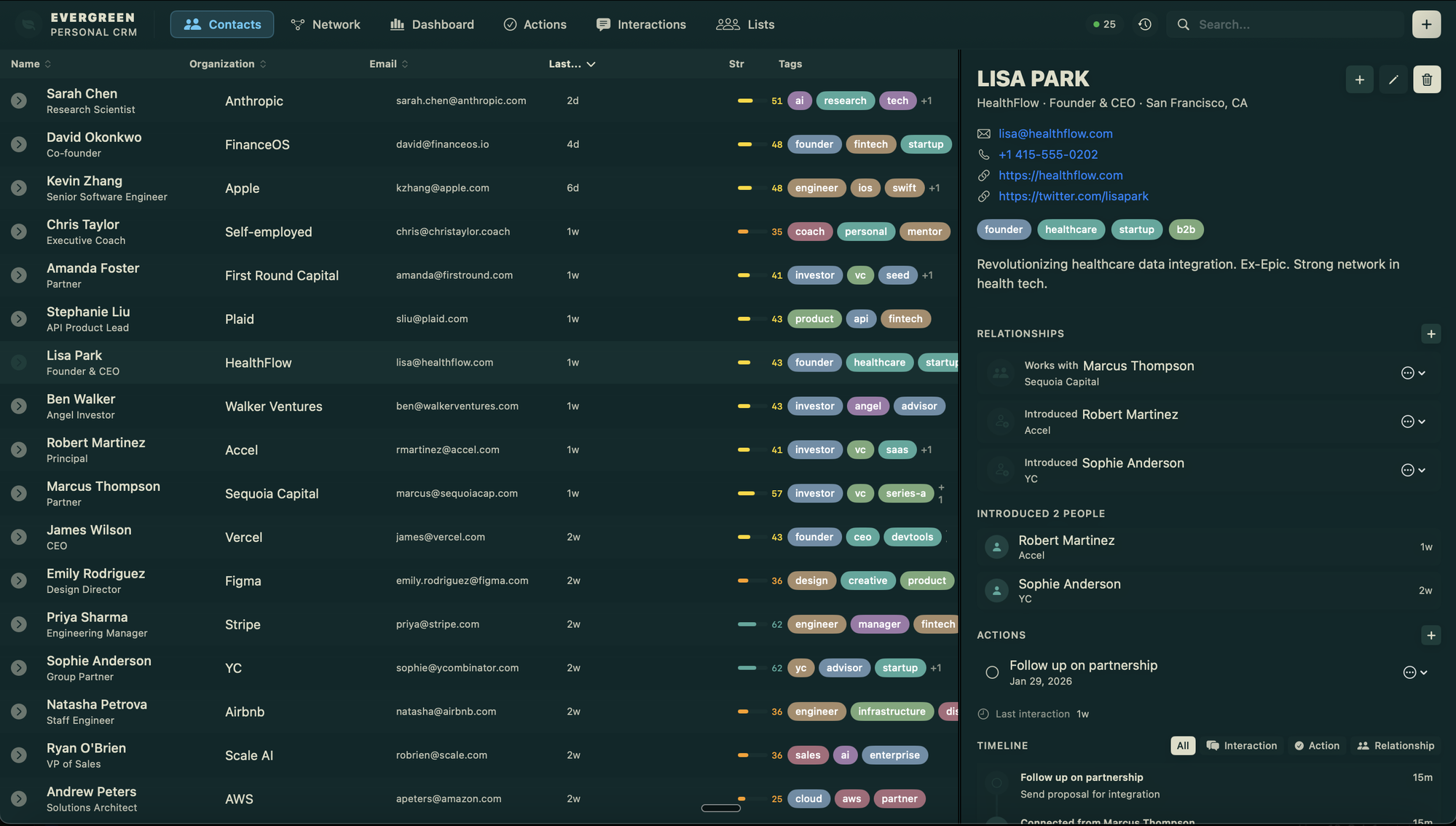
The core contacts tab is essentially the same, but remains the main hub for work, it shows high level everything that is going on. It has fast search, good support for hot keys, and quick actions for adding things like interactions, relationships, and actions (more on those later).
Network
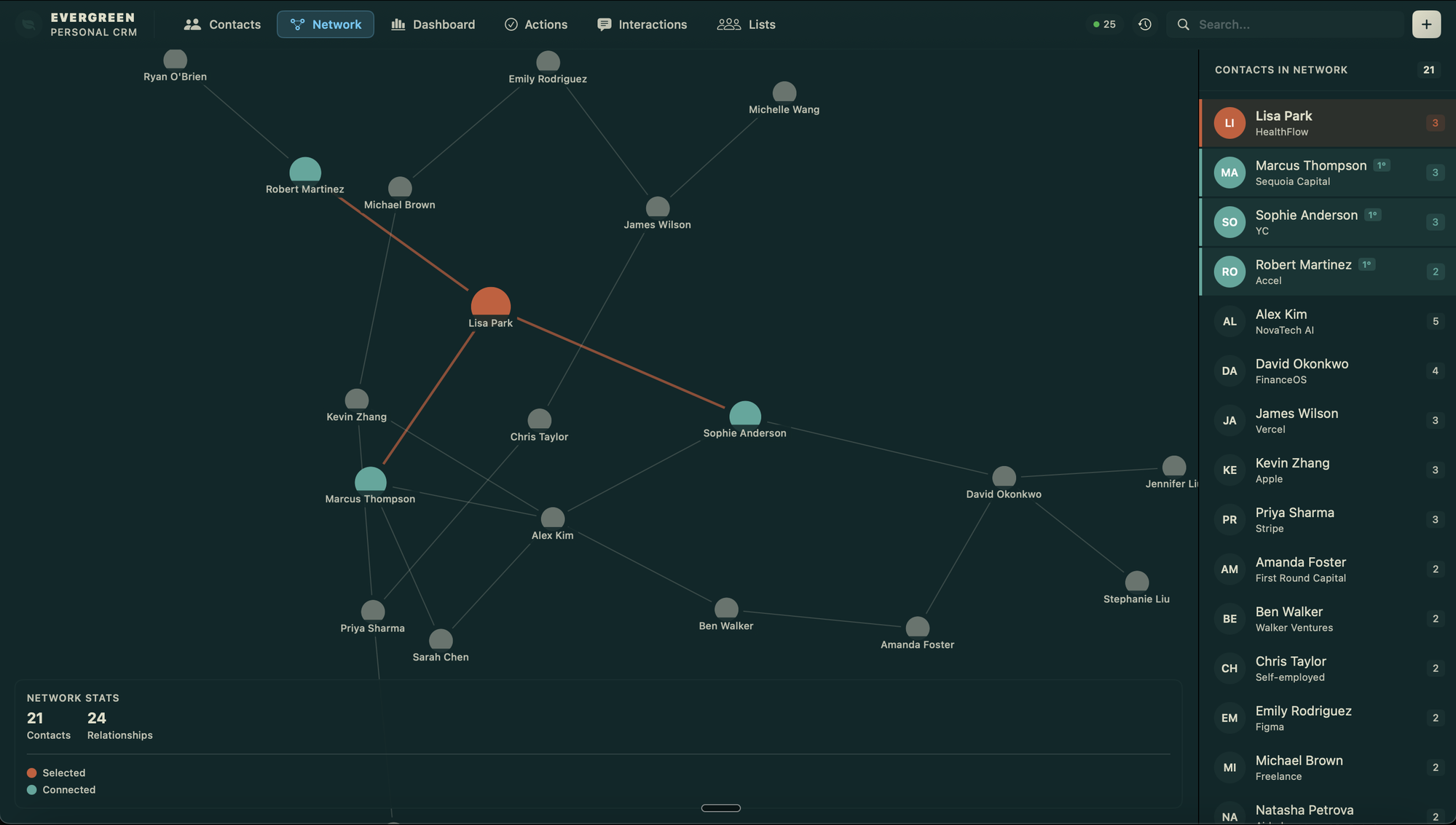
One new add was the concept of relationships. These encode how my contacts do or don’t know eachother. There are lots of natural clusters in my personal network: the predikto crowd, aumni people, VCs, founders, and of course the AI dinner group. In many cases there is overlap but they show up pretty distinctly. I’m not sure exactly how useful this will be but if nothing else it’s pretty beautiful.
Analytics
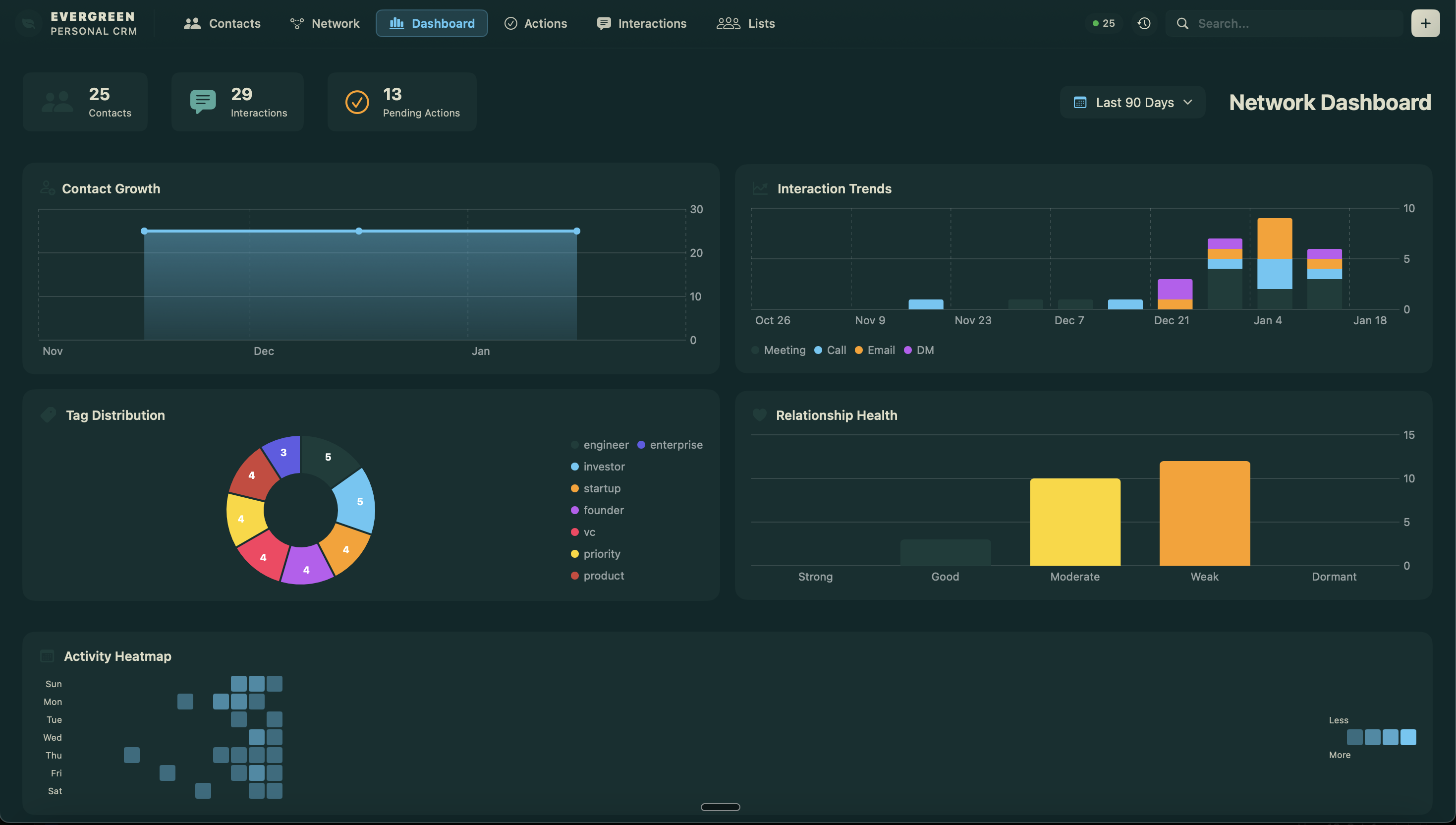
Analytics helps give a view on how activity is really going over time. Am I making a consistent effort to keep connections alive? Am I letting my actions slip? For the personal networking use case building this discipline is pretty hard, it’s an easy thing to bail on, so the charts help.
Actions
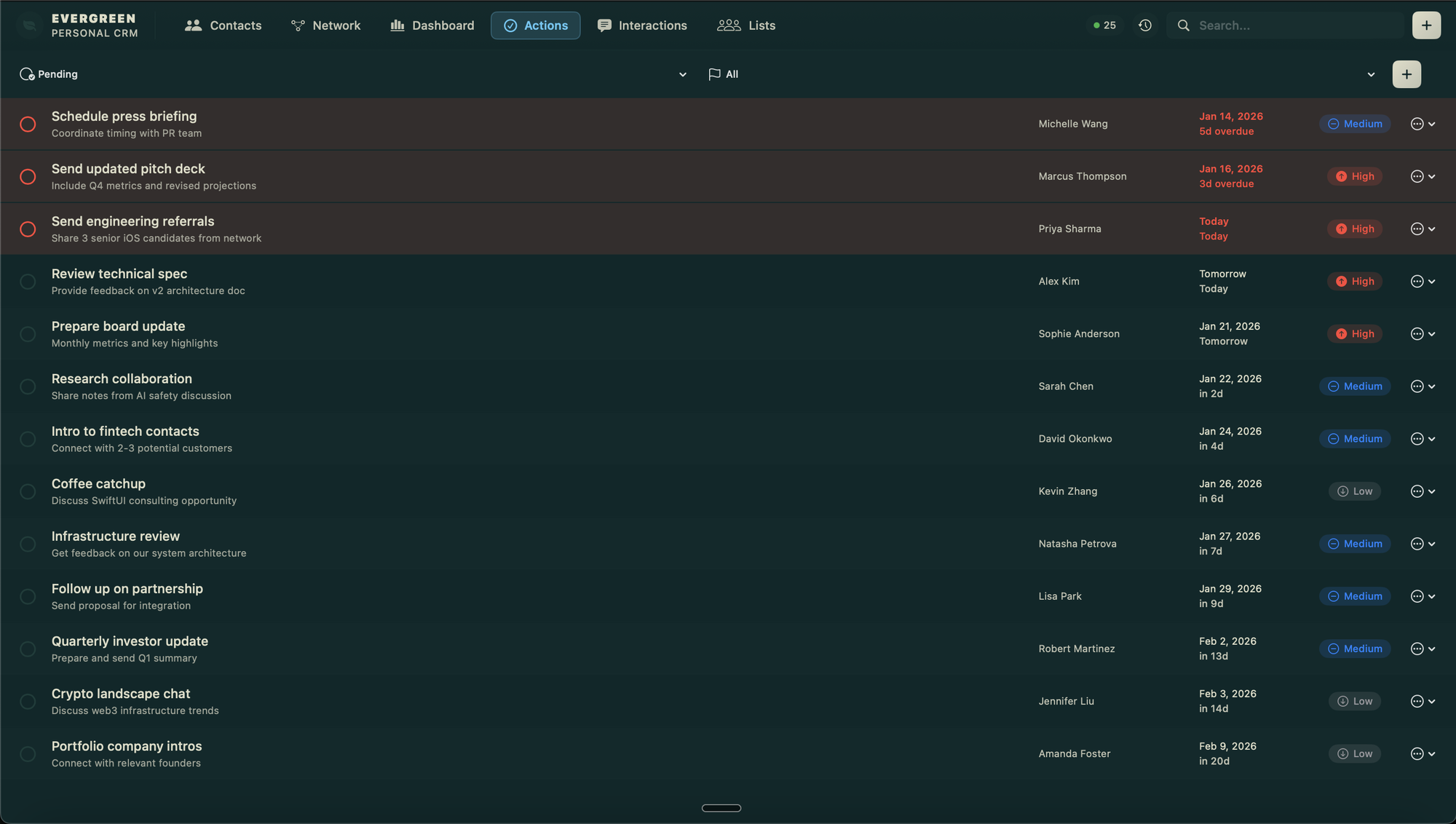
Actions track todos, often things like intros or invitations that I’ve offered to make and need to remember to follow up on. But Evergreen also supports automated actions as reminders, for example to catch up with someone every 90 days or so.
Interactions
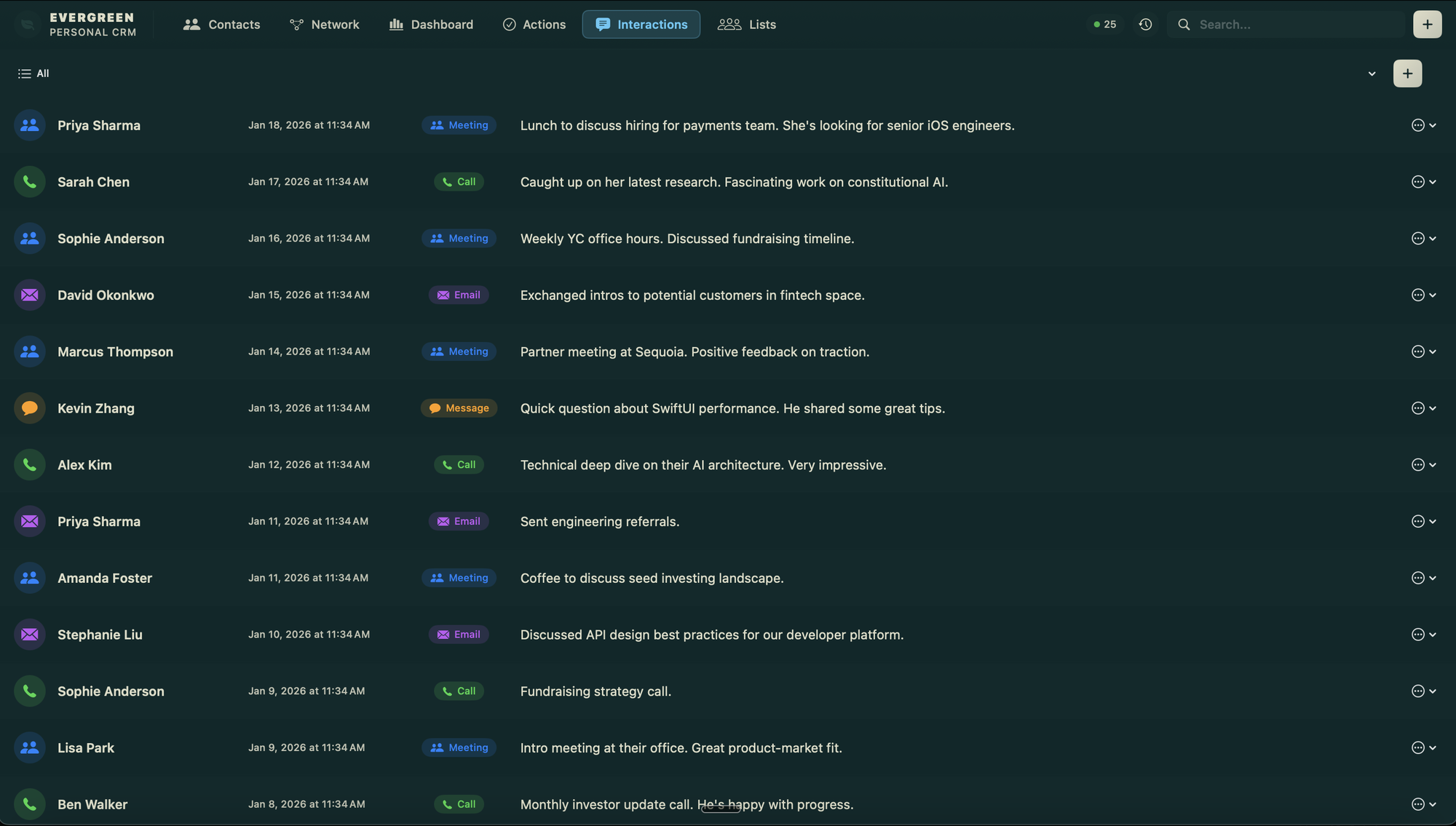
Interactions are the core object of Evergreen at this point. A contact is just a name, but the relationship is a series of dinners, emails, texts, and other interactions that weave together into the whole story. We tell that story with interactions.
Lists
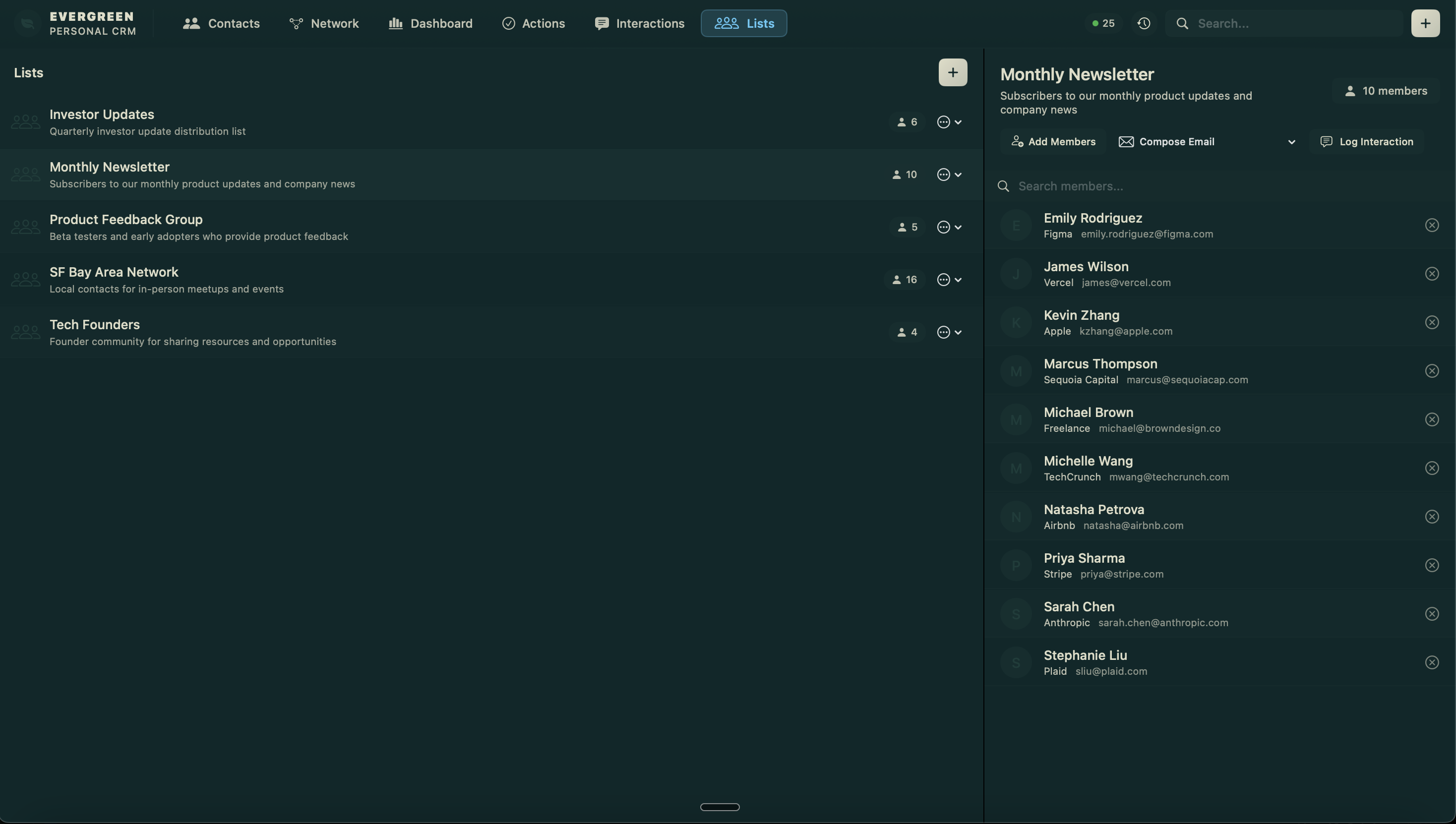
Finally we have lists. Lists are what the sound like, lists of contacts. That’s not super powerful sounding, but where they help is for managing things like email lists, or empower group actions (e.g. log an interaction with the whole attendee list for Atlanta AI Dinner #8).
What’s Next
Part of me wants to just add a chat interface so it’s self contained but that feels more like code golf than the right thing to do. The app works really well as it is.
The move seems to be to simply keep using it day to day, log the ideas or issues as I come across them, and have an agent add them if so.
Dogfood-driven-development.
One More Thing
It is personal software and I don’t plan on straying from that, but I’ve got it up on TestFlight for some friends that have similar needs as I do, if you want to try it out, drop me a note.
Stay in the loop
Get notified when I publish new posts. No spam, unsubscribe anytime.