How I Use AI to Act on Ideas, Not Just Collect Them
I have a graveyard of ideas. You probably do too. Scattered across Notes, Slack messages to yourself, random text files, and that one notebook you bought with good intentions.
The problem was never capturing ideas. The problem was doing something with them.
Two things changed my relationship with ideas recently. First, I started requiring myself to define a first step for every idea. Not a plan, not a breakdown, just the single next physical action. “Google whether anyone has built this” or “sketch the UI on paper” or “ask Dave if he’d use this.” Research backs this up: defining a concrete next action dramatically increases follow-through.
Second, I built a bridge between my ideas and my AI tools.
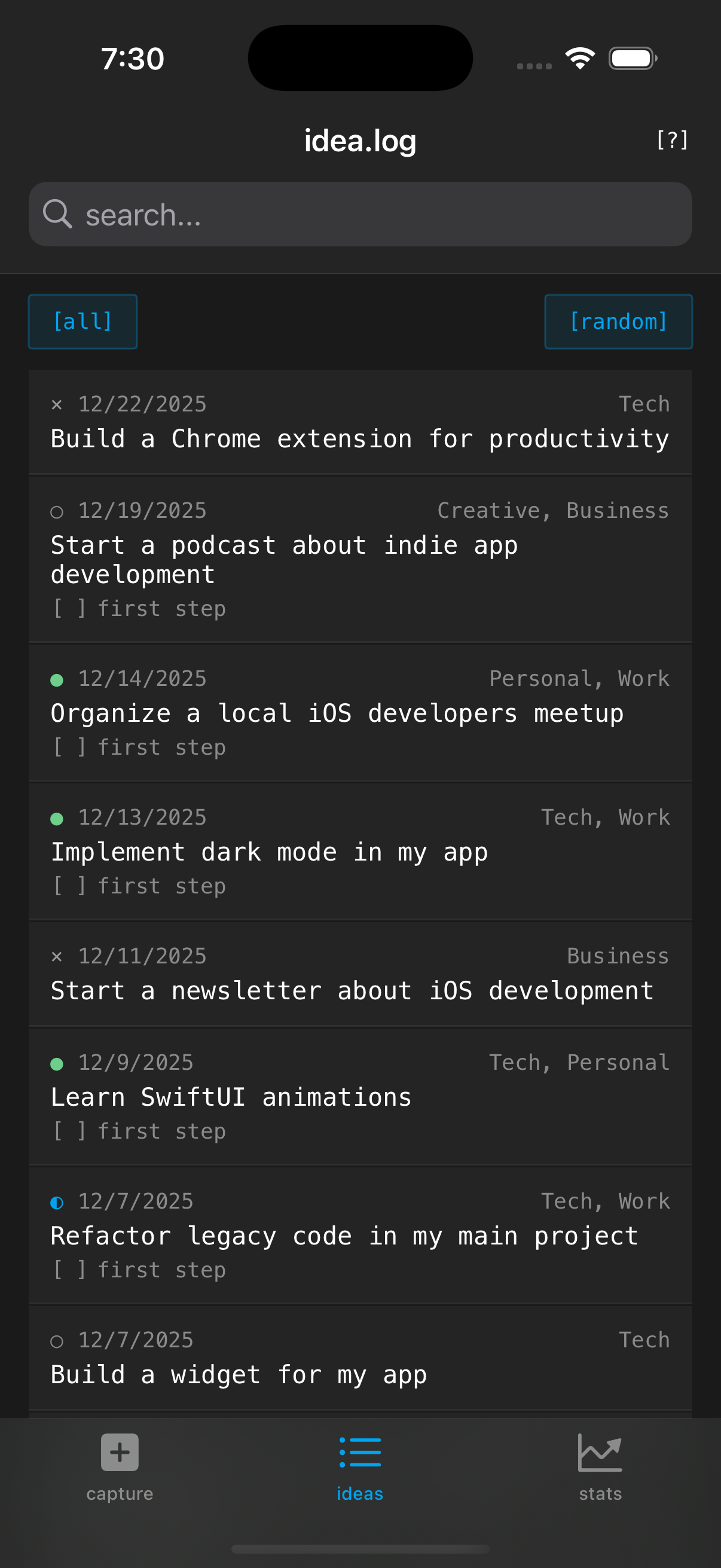 Each idea has a first step, status, comments, and a share menu for exporting to AI tools.
Here’s what I mean. I built an app called idea.log for capturing ideas. Nothing fancy: text or voice input, tags, a first step field, status tracking. But it has a feature I haven’t seen in any other app: Share with Agent.
When I tap Share with Agent on an idea, it generates a structured prompt that looks like this:
# Project Idea

## Context

I have an idea I'd like help developing:

**Idea:** Build a CLI tool that watches a directory and
auto-generates API docs from docstrings

**Current Status:** Did First Step

**Identified First Step:** Research existing docstring-to-docs tools
(This step has been completed)

**Categories/Domain:** developer-tools, python

## Additional Notes & Thoughts

- Looked at Sphinx and pdoc, both too heavy for what I want
- Should support Google, NumPy, and reST docstring styles
- Maybe output OpenAPI spec directly?

## Request

I've completed my first step. Please help me:
1. Determine the best next steps to continue making progress
2. Identify any adjustments needed based on what I've learned
3. Suggest ways to maintain momentum
4. Point out any risks or considerations for the next phase
I paste that into Claude and I’m immediately in a productive conversation about the idea. No context-setting, no explaining what I’ve already tried. The prompt adapts based on the idea’s status. Pending ideas get “help me break this down” prompts. In-progress ideas get “what should I do next” prompts. Even abandoned ideas get “what can I salvage from this” prompts.
This changed my workflow. Ideas used to be write-only. Now they’re the starting point for an actual conversation with a tool that can help me execute. The gap between “I had an idea” and “I’m building the thing” got a lot shorter.
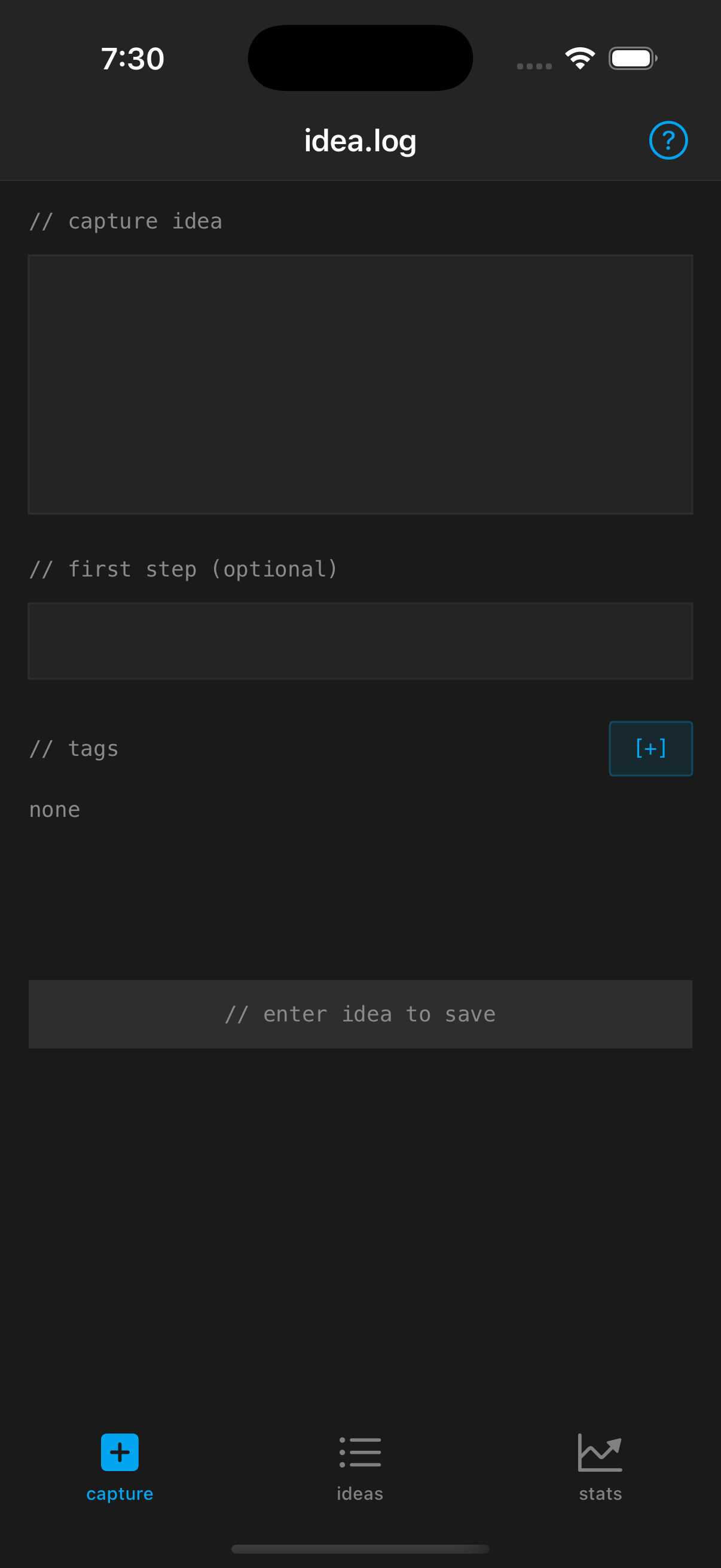
 Capture with an optional first step. Tap [suggest] if you're stuck.
The other piece that helps is the first step suggestions. If I capture an idea but can’t think of a first step, I tap [suggest] and the app generates a few options based on the idea content. It’s not magic, but it’s usually enough to get me unstuck. “Research the top 3 options” or “sketch the basic concept on paper” or “define the minimum viable version.” Obvious? Maybe. But obvious suggestions are better than a blank field you never fill in.
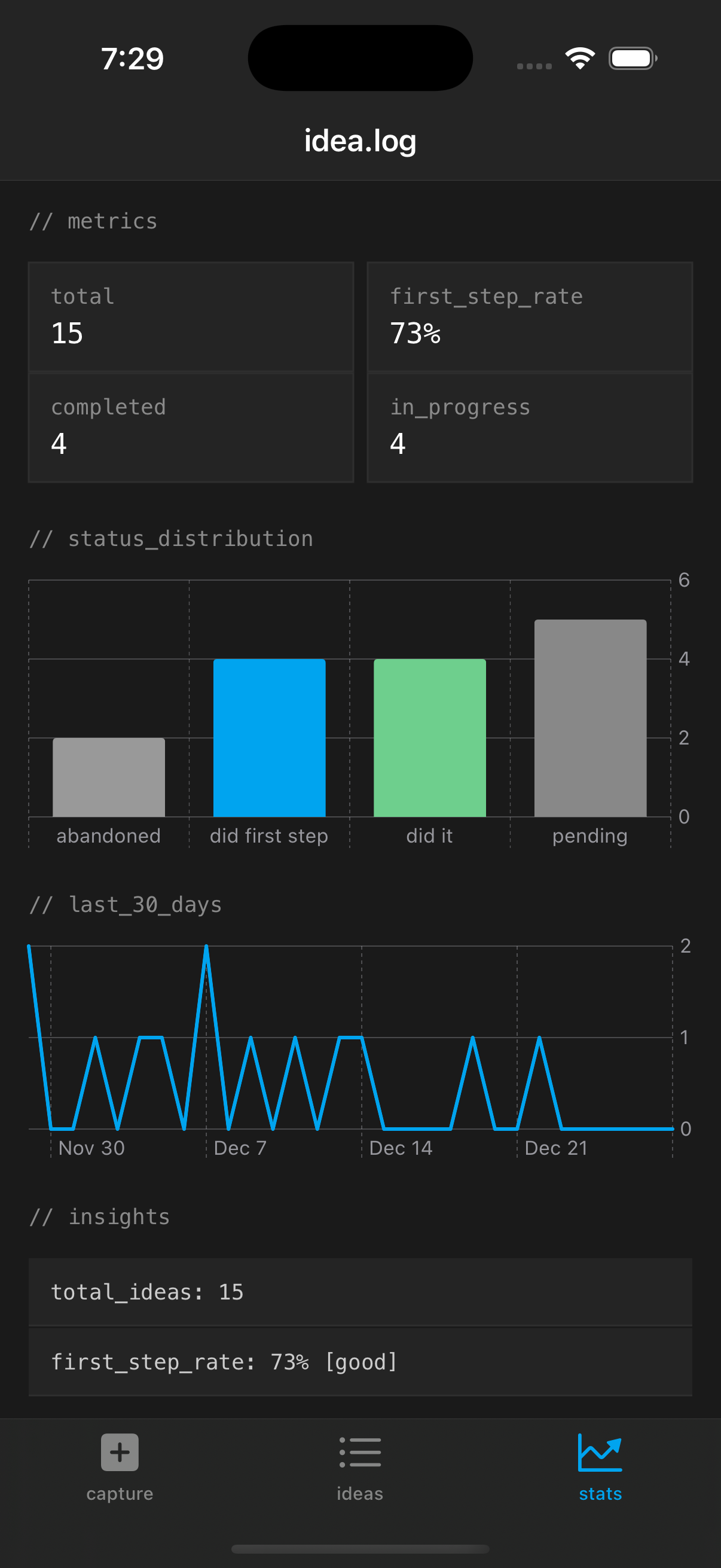
 Stats track capture rate, first step completion, and trends over time.
My completion rate on ideas has roughly doubled since I started using this workflow. Not because the app is doing anything complicated, but because it closes the loop between capturing and acting.
idea.log is $1.99 on the App Store. One-time purchase, no subscription. Everything stored locally on your device.
Stay in the loop
Get notified when I publish new posts. No spam, unsubscribe anytime.