Evergreen Skills - Teaching Claude to Manage Your Relationships
I’ve written a couple times now about Evergreen, the personal CRM I vibe coded in Swift. The short version: it’s a local-first app, now on Mac, iPhone, and iPad, that stores your contacts, interactions, relationships, and follow-ups in a SQLite database on your own devices. No accounts, no ads, no telemetry, and your data never touches my servers. It recently picked up iPhone and iPad versions with optional iCloud sync, but everything below is about the Mac, where the MCP server lives. Claude connects to it via that built-in MCP server and does most of the heavy lifting.
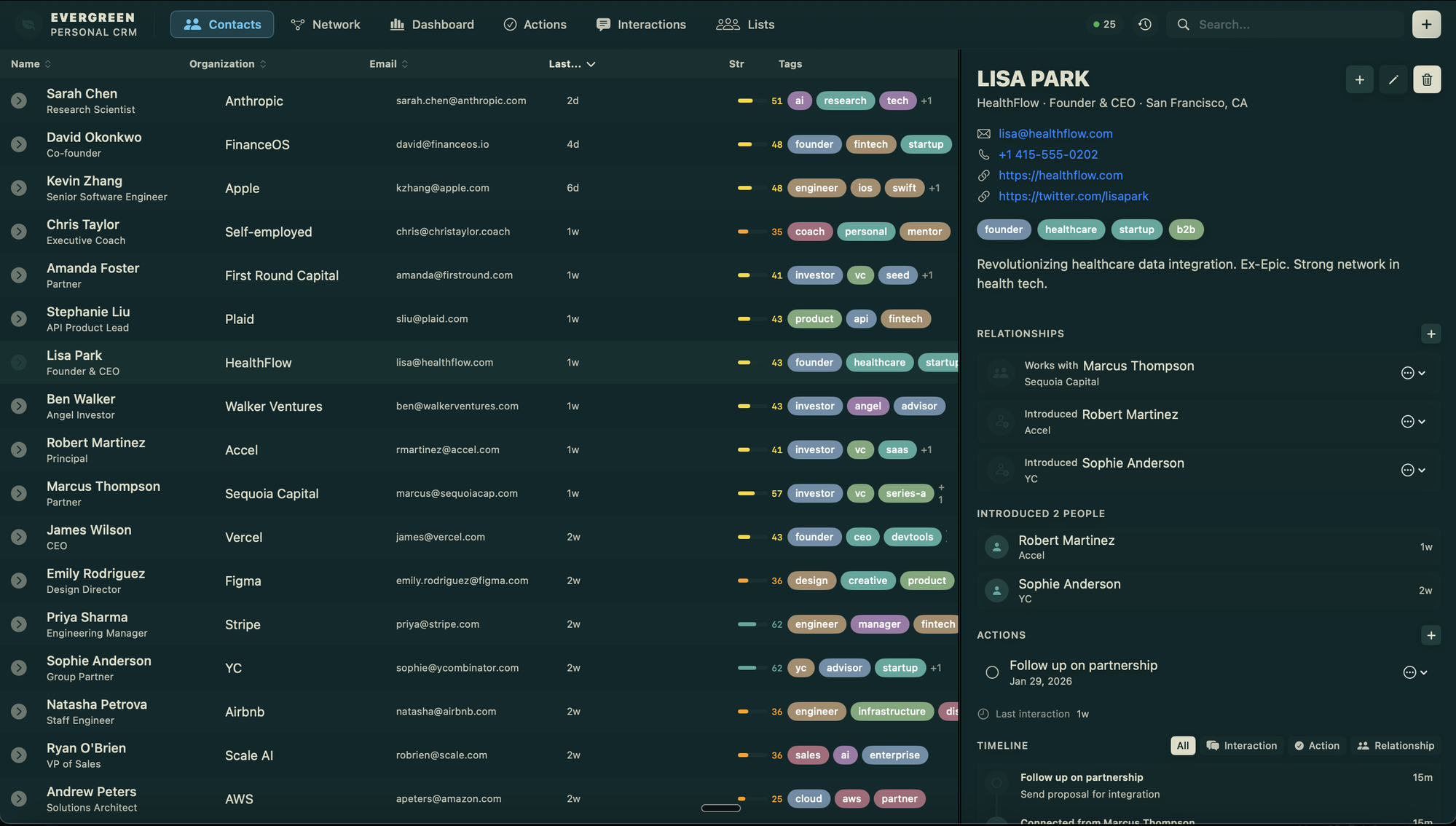
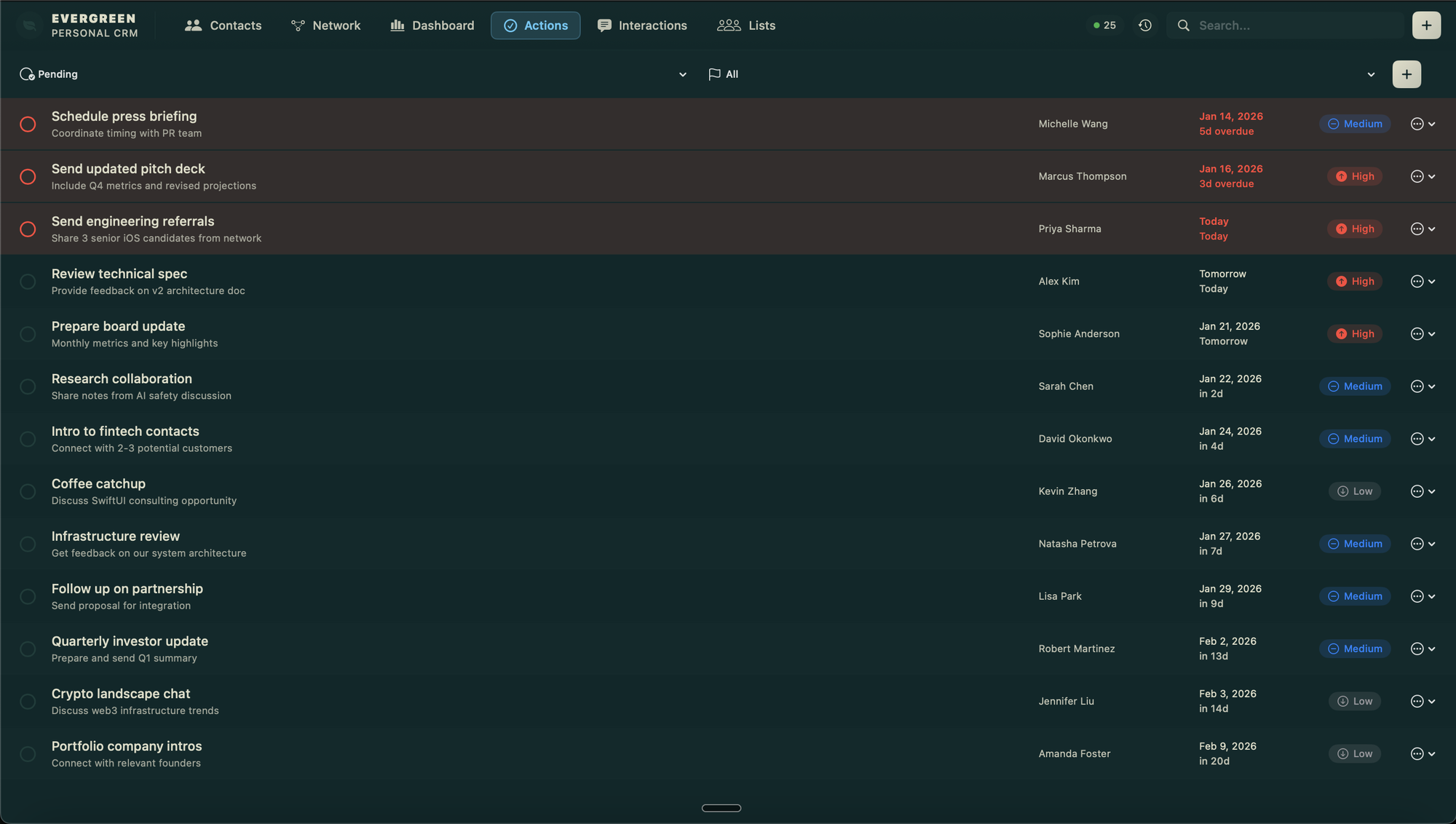
That MCP connection is the real magic. I can just tell Claude “I met these five people at the conference, add them” or “who do I need to follow up with?” and it reads and writes directly to my local database. But over the past few months I’ve noticed something: I keep giving Claude the same kinds of instructions over and over. Capture these contacts. Draft that follow-up. Prep me for this meeting. Scan my inbox.
So I did what any reasonable person would do and turned those patterns into skills.
What Are Skills?
Claude Code skills are basically reusable prompts that teach Claude how to handle a specific task. When you install a skill, Claude automatically uses it when you ask about something in that domain. You don’t have to remember the right incantation or paste in a system prompt. You just talk to Claude normally and the skill kicks in.
For Evergreen, that means Claude knows exactly how to work with your contact database for 18 different use cases.
The Skills
I organized them into bundles based on how you’d actually use them day to day.
The Daily Drivers (evergreen-essentials)
These are the ones I use constantly. Contact capture parses messy text into real CRM entries. Follow-up reminders keeps me honest about the people I’ve promised to reach out to. Draft follow-up writes the actual message. Meeting prep pulls together everything I know about someone before a call. Context recall gives me a “refresh my memory on this person” narrative.
Email Integration (evergreen-email)
If you have Gmail connected in Claude, these skills are a game changer. Inbox scan finds action items in your email and maps them to contacts. Auto-log interactions syncs your email activity to Evergreen so your interaction history stays current without you lifting a finger.
Relationship Building (evergreen-networking)
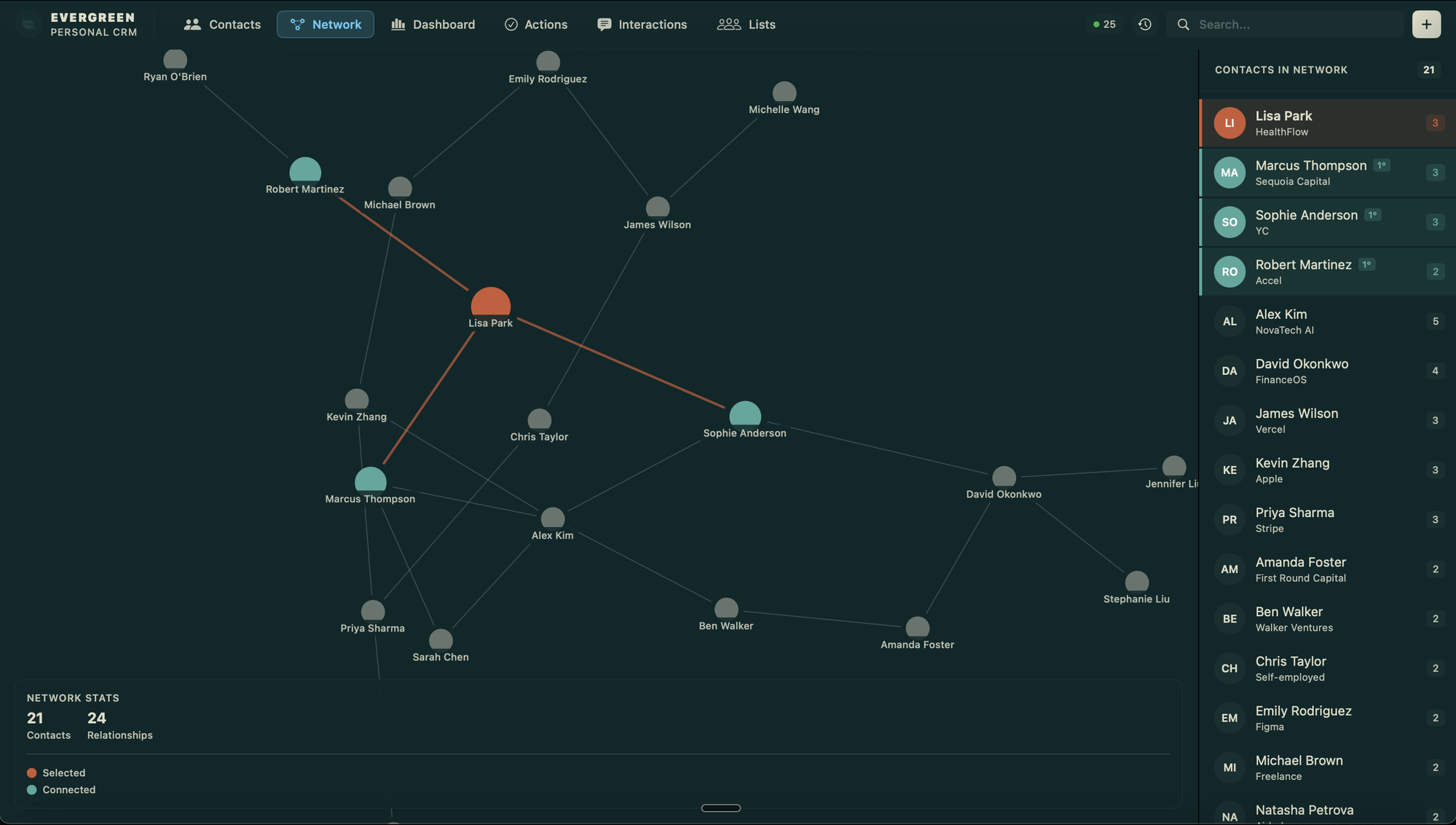
This is where it gets interesting. Event follow-up batch-processes everyone you met at a conference. Warm introduction drafts the double-opt-in intro emails that actually get sent. Network analysis shows you clusters, bridges, and introduction chains in your network. Life events tracks birthdays, job changes, and milestones so you can reach out at the right moment.
Staying on Top of Things (evergreen-reporting)
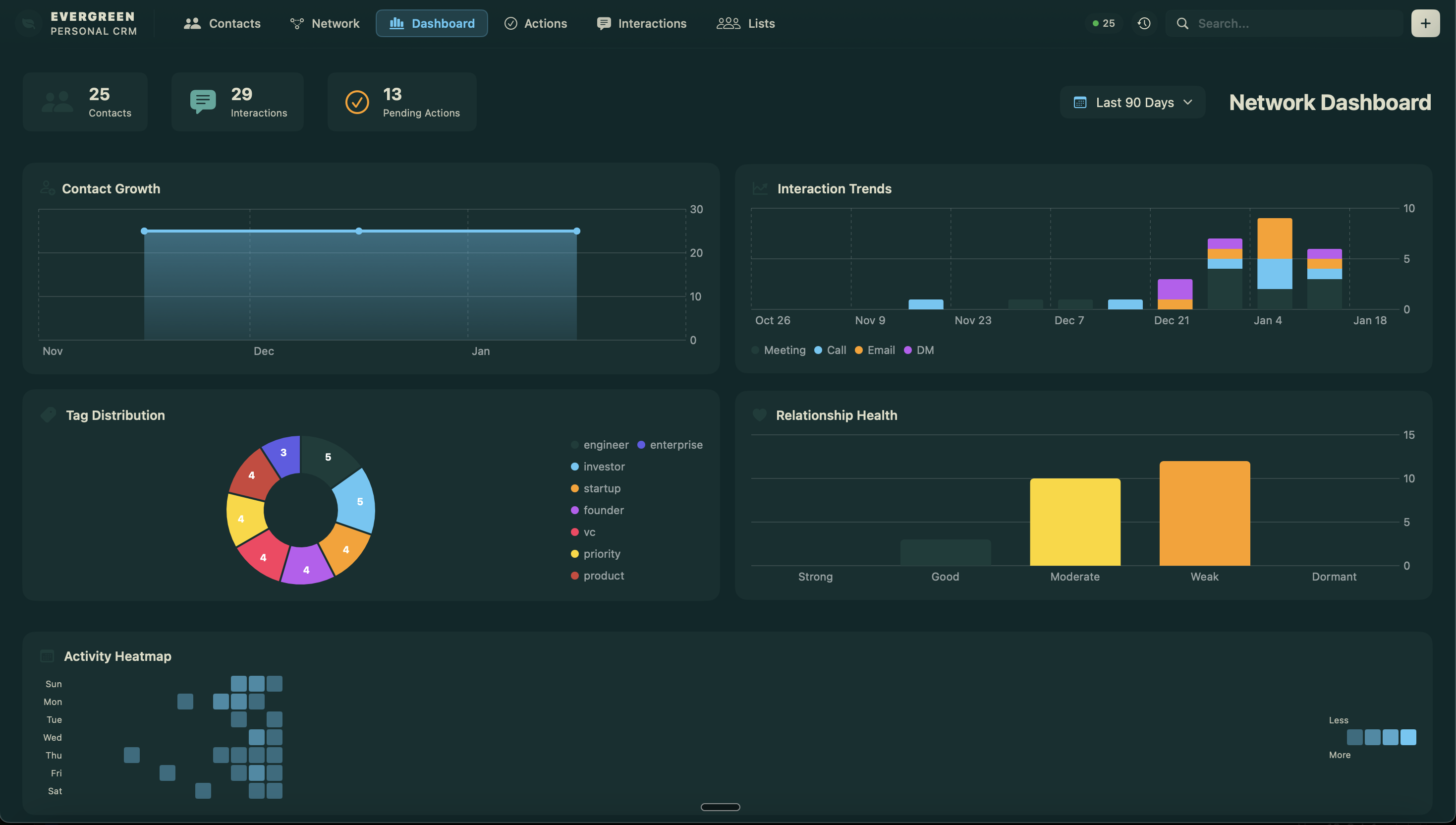
Weekly report gives you a relationship management digest. Stale data audit finds contacts with outdated info. Relationship health scores your network so you can see which connections need attention. News alerts monitors what’s happening with your contacts and their companies.
Installing
The whole thing is on the Claude Code skills marketplace now. You can install everything at once or pick the bundles that make sense for you:
# Add the marketplace source
/plugin marketplace add wdm0006/evergreen-skills

# Install everything
/plugin install evergreen-complete@wdm0006-evergreen-skills

# Or just the daily drivers
/plugin install evergreen-essentials@wdm0006-evergreen-skills
You’ll also need Evergreen itself from the Mac App Store, and the MCP server configured in your Claude settings:
{
  "mcpServers": {
    "evergreen-crm": {
      "command": "/Applications/Evergreen.app/Contents/MacOS/evergreen-mcp"
    }
  }
}
That’s it. No API keys, no cloud setup, no config files to wrestle with. The MCP server runs locally and gives Claude full read/write access to your database. Every action is attributed and logged, so you always know what the agent did and why.
Why Skills Matter
The honest truth is that most of this was possible before. You could have given Claude a long prompt explaining how to work with Evergreen’s MCP tools, and it would have mostly figured it out. But “mostly” isn’t good enough when you’re trusting an agent with your relationship data. The skills encode the patterns I’ve refined over months of daily use: the right way to parse a business card, the right tone for a re-engagement email, the right heuristics for scoring relationship health.
It’s the difference between handing someone a toolbox and handing them a toolbox plus the experience of having used those tools on this specific job for six months.
If you’re already using Evergreen, go install them. If you’re not, well, maybe give it a look. The app itself is still buy-once and local-first. The only subscription is the optional Evergreen Sync that keeps your contacts current across devices, and you don’t need it for any of the skills below. And now with skills, Claude actually knows what it’s doing.
Linked from
- Evergreen Comes to iPhone and iPad Evergreen, my local-first personal CRM, is now on iPhone and iPad, with optional …
Stay in the loop
Get notified when I publish new posts. No spam, unsubscribe anytime.