Lexicon: A Prompt Library for macOS
I wrote about building a prompt library with MCP back in October. At the time, Lexicon was a side project I’d been hacking on to scratch an itch: I had too many prompts scattered across too many places. Some lived in my head, some in a notes file, some in old chat histories I’d never find again.
Since then I’ve been using it daily, and it just shipped to the Mac App Store. Here’s what it turned into.
The Problem
If you use AI tools seriously, you accumulate prompts. Code review instructions. Report templates. Data analysis workflows. The good ones get refined over time. You figure out the right phrasing, the right level of detail, the right system prompt to pair with a user message.
Then you lose them. Or you half-remember them and retype a worse version. Or you have a great prompt on your work machine but not your laptop.
Lexicon is a place to put all of that. It’s a macOS app that stores your prompts locally in SQLite, organizes them with categories and tags, and serves them to AI tools via MCP.
What It Looks Like
The interface is a three-pane layout. Categories on the left, prompt table in the middle, detail editor on the right.
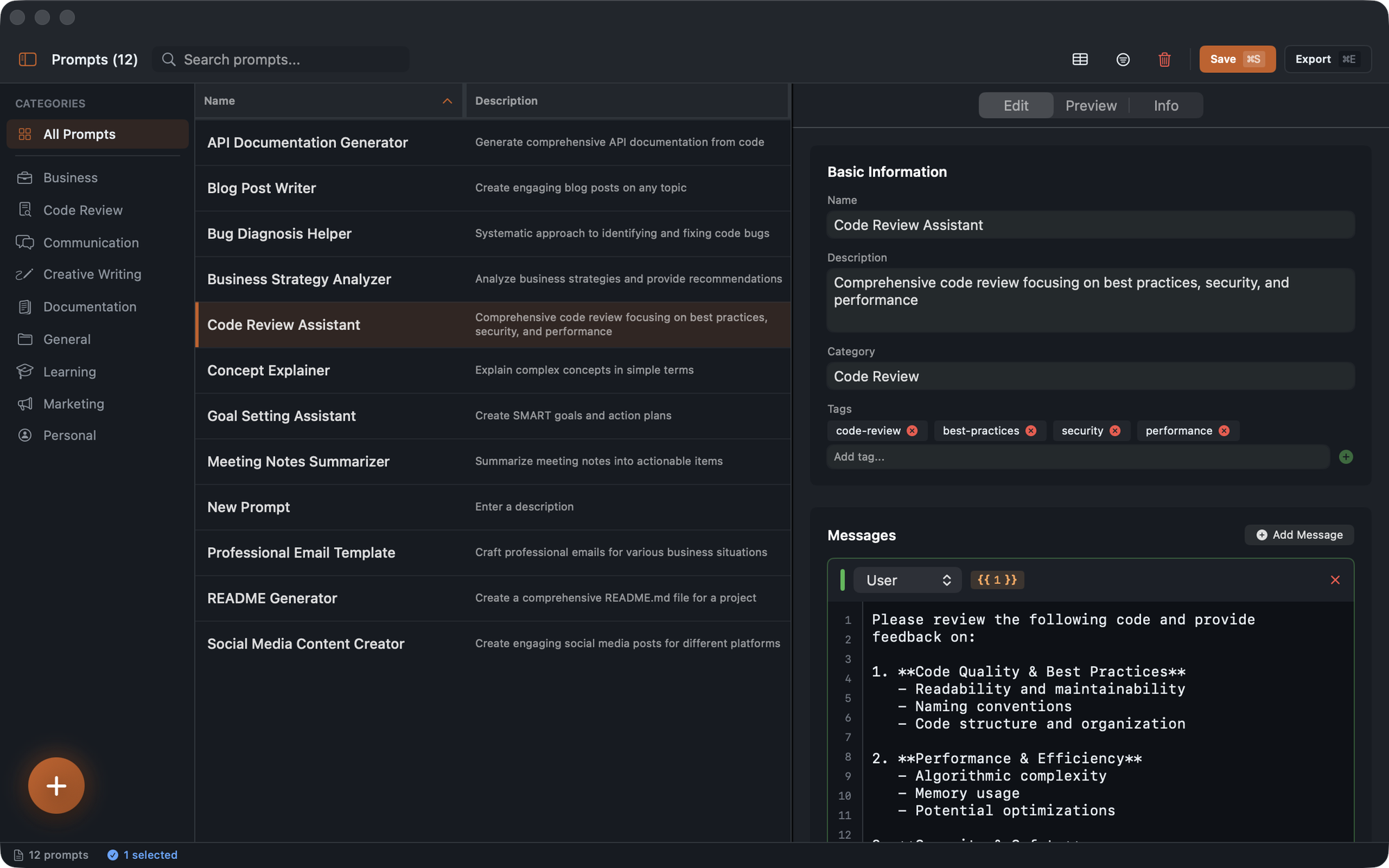
Each prompt has a name, description, category, tags, and one or more messages. Messages have roles (system, user, assistant) so you can build multi-turn templates.
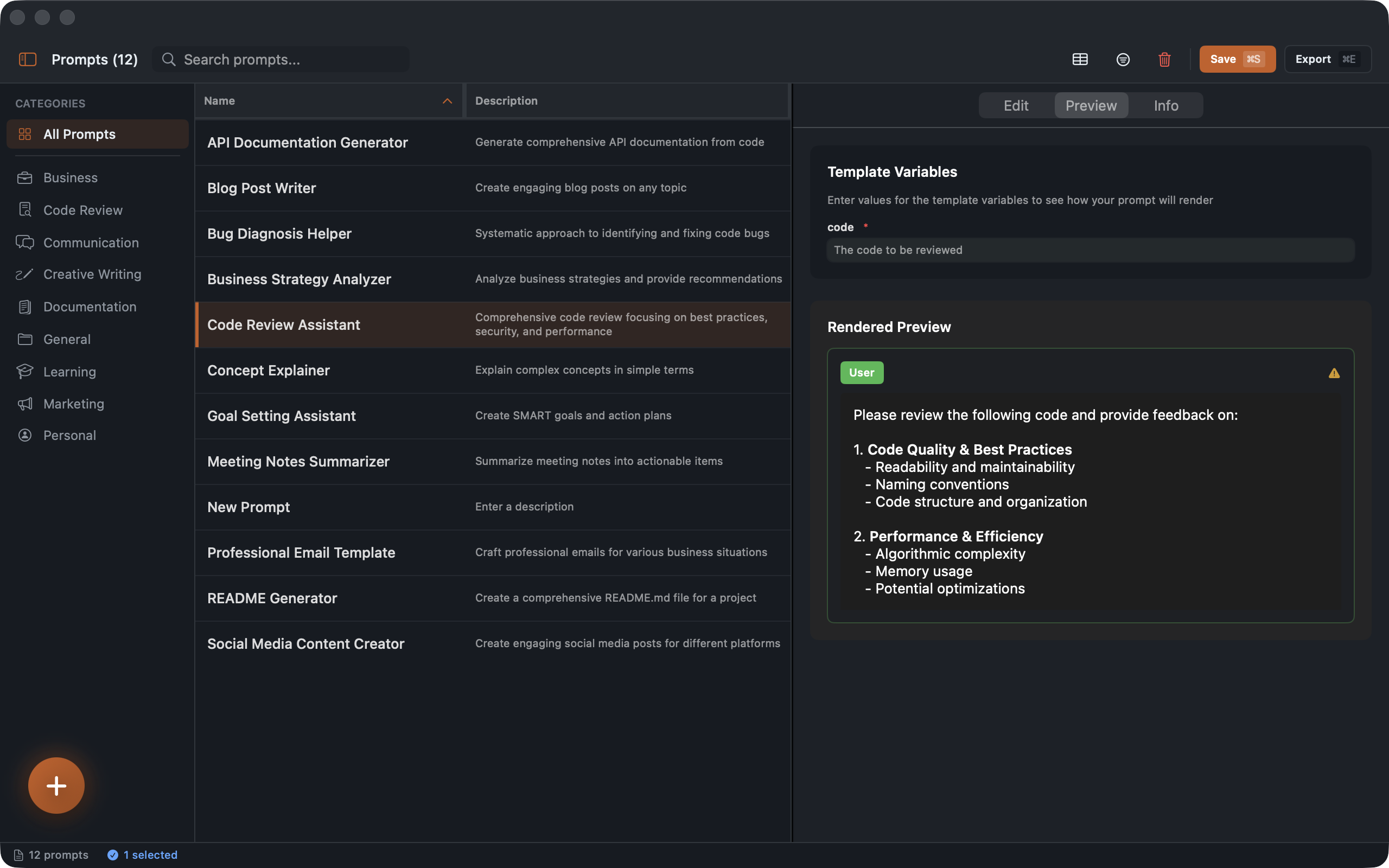
The editor supports template variables with {{variable}} syntax. Define an argument called code and your prompt becomes reusable across different inputs. The Preview tab shows you the rendered output before you use it:
MCP Integration
The part I care about most is the MCP server. Lexicon bundles an MCP server inside the app, so there’s nothing extra to install. Point Claude Desktop at it and all your prompts become available as slash commands.
The setup in Claude Desktop’s config is one entry:
{
  "lexicon": {
    "command": "/Applications/Lexicon.app/Contents/MacOS/lexicon-mcp.app/Contents/MacOS/lexicon-mcp"
  }
}
After that, typing /lexicon: in Claude Code gives you autocomplete across your entire library. You can also use tag-based filtering with the LEXICON_ALLOWED_TAGS environment variable to scope which prompts are available in which project.
Local-First
There’s no account. No cloud sync. No telemetry. The database is a SQLite file on your Mac. You can export everything as JSON, back it up however you want, and delete it whenever you want.
The MCP server reads from the same database, using an App Group container so both the app and the server see the same data without any sync layer.
Getting It
Lexicon is $1.99/month on the Mac App Store. It requires macOS 14 (Sonoma) or later.
If you’re already deep into MCP workflows, this fits right in. If you’re not, the app works fine as a standalone prompt organizer too. The search is fast, categories keep things tidy, and smart collections can auto-group prompts by usage, rating, or recency.
Linked from
- Setting Up Lexicon with Claude Code and Claude Desktop A walkthrough of connecting Lexicon's MCP server to Claude Code and Claude …
- Building Reusable Prompt Templates in Lexicon How to use Lexicon's template system to build reusable, parameterized prompts …
Stay in the loop
Get notified when I publish new posts. No spam, unsubscribe anytime.